I Gave Claude a Persistent Memory for Everything I Do at Work. Here’s How.
Claude doesn’t remember anything between sessions. Every conversation starts from zero. That’s the default, and for most people, it stays that way.
I decided early on that I didn’t want to spend any part of my working day re-explaining who I am, what I’m working on, who my colleagues are, or which Jira project maps to which team. So I built a system that means I never have to.
This is that system.
The problem with stateless AI
When you first start using an AI assistant at work, re-explaining feels fine. The sessions are short, the context is simple. You paste in a Slack message and ask for a Jira ticket. No history needed.
Then the work gets more complex. You’re asking Claude to write a meeting note in the format your team uses, for a project it doesn’t know the background on, involving colleagues whose roles it has no idea about, in a Jira project with a specific key and component structure. And you’re explaining all of that from scratch. Every time.
The re-explaining is the tax on using a stateless system for stateful work. And like most taxes, you don’t notice it until you calculate what you’re actually paying. Except in Finland. You notice it.
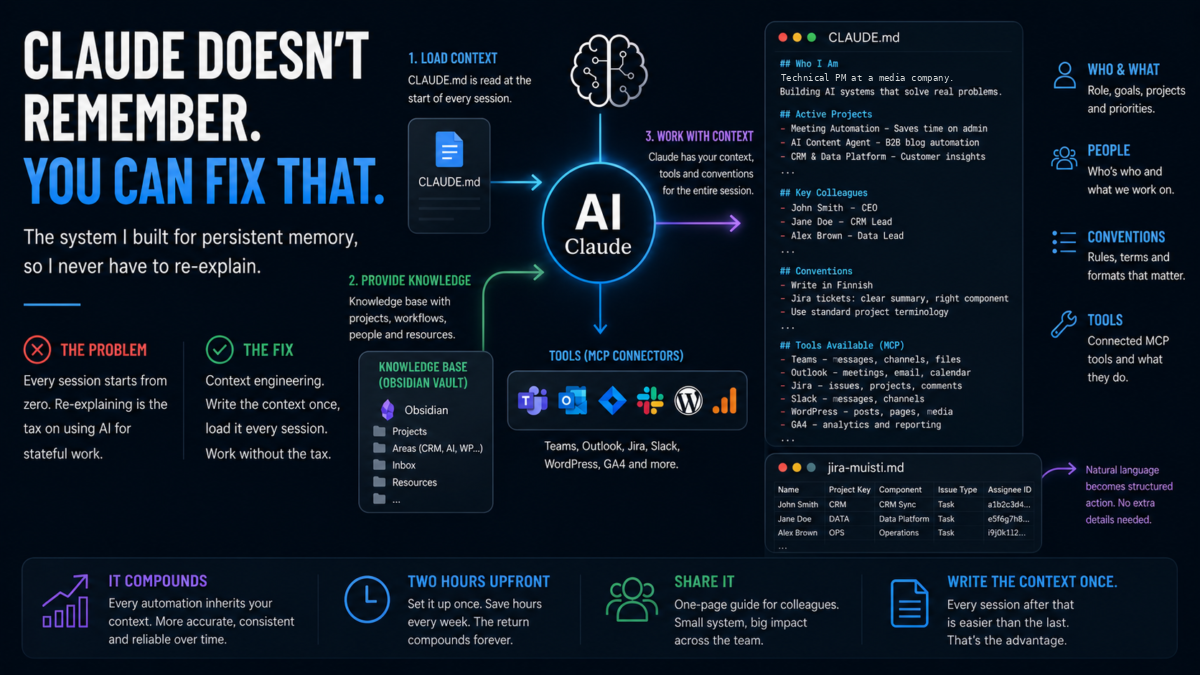
The fix isn’t a better memory feature. It’s context engineering: creating the context once, structured well, and loading it at the start of every session.
What I built: Obsidian + CLAUDE.md for Claude persistent memory
The system has two parts: a knowledge base and a briefing file.
The knowledge base is an Obsidian vault, a folder of Markdown files organised into areas that match how I actually work: Projects, Areas (CRM, WordPress, Customer Data, AI, Ops), Inbox, Resources. It lives on my machine and syncs to OneDrive. Every project has a note. Every recurring workflow has a note. Colleagues who come up regularly have a short entry with their role and context.
The CLAUDE.md briefing file is a single Markdown file that sits at the top of the vault. It’s the file Claude reads at the start of every session. Think of it as a briefing document you’d hand a new colleague on their first day, except it gets read in seconds and retained for the whole session.
What’s in it: current active projects with one-line status summaries, key colleagues and their roles, naming conventions (how we write Jira tickets, what Finnish terms we use for certain things), which MCP connectors are available and what they’re for, and standing instructions for how I want certain outputs formatted.
The CLAUDE.md format that works
The file is plain Markdown, kept deliberately short. Around 400-600 words. Long enough to cover everything that matters, short enough that Claude reads it in full and actually uses it.
Structure I use:
## Who I Am
One paragraph. Role, company, what I'm building, what I care about.

## Active Projects
Bullet list. Project name, one-line status, key people involved.

## Key Colleagues
Short list. Name, role, what I work with them on.

## Conventions
Naming rules, Finnish terms that have specific meaning, output formats I prefer.

## Tools Available
Which MCP connectors are connected and what each one does.
The colleagues section is particularly valuable. “Create a Jira for a colleague” only works as a complete instruction if Claude knows who that colleague is and what project they’re on. With the briefing file loaded, it does.
Conventions matter too. We write meeting notes in Finnish. We have specific vocabulary for certain internal tools. If Claude doesn’t know these, it either invents translations or asks. With the briefing file, it uses them correctly without prompting.
The companion file: jira-memory.md
Alongside CLAUDE.md, there’s a second config file specifically for Jira: jira-memory.md. One row per person. Each row has their name, Jira project key, default component, issue type, and assignee ID. And if the assignee has preferences. Like use of lots of emojis because it makes them happy.
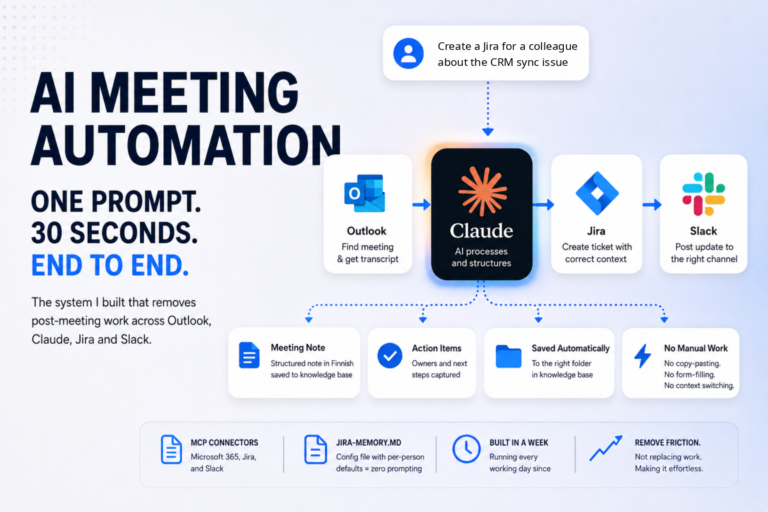
This is what makes natural language Jira tickets work reliably. “Create a Jira for a colleague about the CRM sync issue” becomes a complete, correctly routed ticket because Claude has the config. No supplementary details. No form-filling.
The same pattern applies anywhere you have structured data that repeats. A config file is just a way of writing the context once instead of providing it every time.
Why this compounds
The real value of the briefing system isn’t any single automation. It’s that every automation built on top of it becomes more reliable.
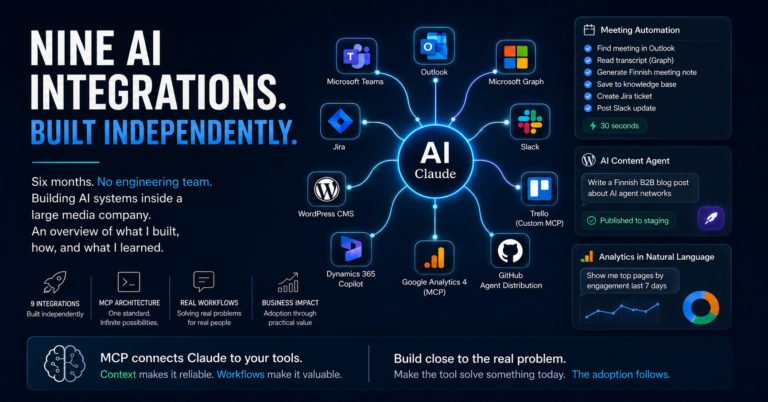
When I built the meeting automation pipeline, the meeting note came out in the right format and in Finnish because the conventions were in CLAUDE.md. When I built the agentic WordPress CMS, the product tone and naming were consistent because the context was already loaded. Each new automation inherits everything the briefing file knows.
This is what context engineering actually means. It’s not a trick. It’s the discipline of writing down what Claude needs to know, once, well, and loading it consistently. You can even ask Claude to do the writing while you tell it what it needs to know. The upfront cost is maybe two hours. The compounding return is every session from that point forward.
The core message: you don’t need a sophisticated setup to get the benefit of context engineering. A single CLAUDE.md file with 10 bullet points is better than nothing. Start there, add to it as you notice what you keep re-explaining.
Write the context once. Every session after that is easier than the last.