From 15 Minutes to 30 Seconds: How I Automated Meeting Admin with Claude
AI meeting automation changed how I handle post-meeting work. This is the system I built at work, and the thinking behind why it works.
The problem
Every meeting left 15 minutes of admin behind it: Transcript to read, meeting notes to write in Finnish, Jira tickets to create with the right project, component and assignee, Slack updates to send to the right channels.
None of those tasks are hard, but I was in a lot of meetings, and the friction of doing them manually every time meant they either got done late, got done badly, or didn’t get done at all.
AI meeting automation was the fix.
The AI meeting automation pipeline
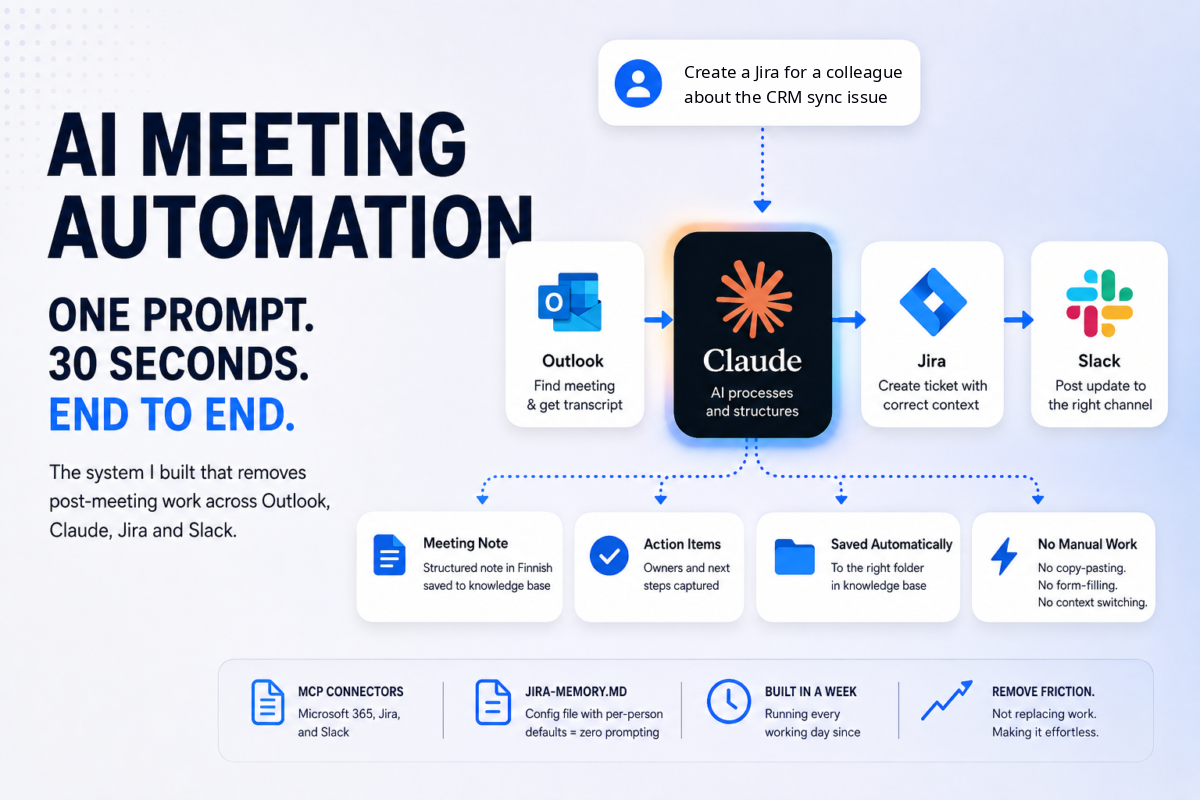
One prompt. 30 seconds. End to end.
Here’s the actual chain:
Claude finds the meeting in Outlook by name and date, reads the full transcript via Microsoft Graph API, generates a structured Finnish meeting note with action items and owners, saves it directly to my knowledge base, creates the Jira ticket with the correct project key, component, and assignee pulled from a config file, and posts the update to the right Slack channel.
No copy-pasting. No form-filling. No switching between tools. One prompt triggers the whole thing.
How it was built
The core of the system is a set of MCP connectors: Microsoft 365, Atlassian/Jira, and Slack, running alongside Claude. MCP (Model Context Protocol) lets Claude call external tools directly, so each step in the chain is a tool call rather than a manual action.
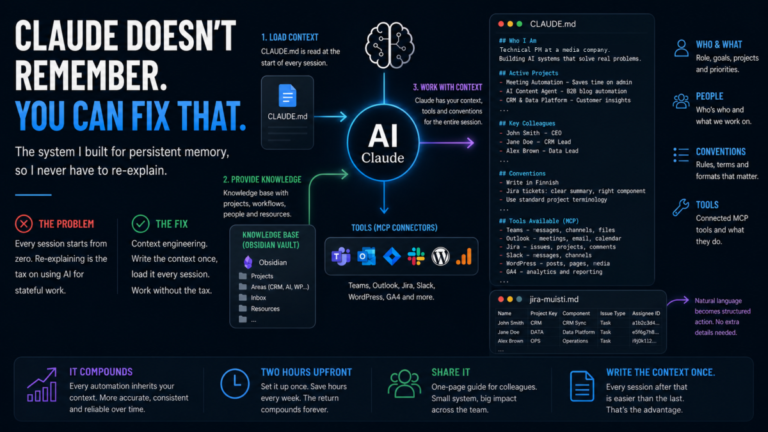
The Jira step required a config file I call jira-memory.md: a simple Markdown file containing per-person defaults: project key, component, issue type, assignee ID. Claude reads it at the start of a session. When I say “create a Jira for a colleague about the CRM sync issue,” Claude already knows which project, which component, and which assignee ID to use. No prompting required.
The meeting note format is templated: date, attendees, agenda points, decisions, action items with owners. Consistent every time, in Finnish, saved to the right folder automatically.
The whole system took about a week to build. It has run every working day since.
The config file that makes it reliable
The Jira step is worth unpacking because it illustrates a pattern that applies to every automation like this: the system is only as good as the context it has.
Early versions of the Jira automation required me to specify project keys, components, and assignee IDs in every prompt. Annoying. Easy to get wrong. Easy to skip.
The fix was jira-memory.md. A flat file. Maybe 20 lines. Each row is a person: their name, Jira project key, default component, issue type, and assignee ID. Claude reads it at session start via the knowledge base connector. From that point on, “create a Jira for a colleague” is a complete instruction. No supplementary details required.
This is context engineering applied to automation. The friction isn’t in the AI. It’s in having to re-explain the same configuration every time. Write the config once, the automation works reliably forever. The same pattern drives the Obsidian + CLAUDE.md briefing system that underpins all of this work.
The insight
I kept trying to optimise individual tools: faster note-taking app, better Jira template, cleaner Slack message format. None of it moved the needle much.
The bottleneck was never any single tool. It was the handoffs between them. Reading a transcript, opening Jira, filling in fields, switching to Slack, writing the update. Each handoff is small. Together they add up to something that’s easy to skip when you’re tired or busy.
Remove the handoffs and the time collapses. That’s what this system does.
That’s what AI automation actually is. Not replacing the work. Removing the friction between the work.
What’s next
The same pattern is now being applied to other repeatable workflows: CRM updates, content briefs, status reports. Anywhere there’s a chain of manual steps between tools, there’s a candidate for automation.
The question I ask before building anything: how many times a week does this chain happen? If the answer is more than five, it’s worth building. The system pays for itself in days, not months.
I’m also looking at how the same MCP-based architecture can scale to cross-team workflows, not just personal ones. Authentication and permissions add complexity, but the core pattern holds. One prompt, connected tools, no manual handoffs.
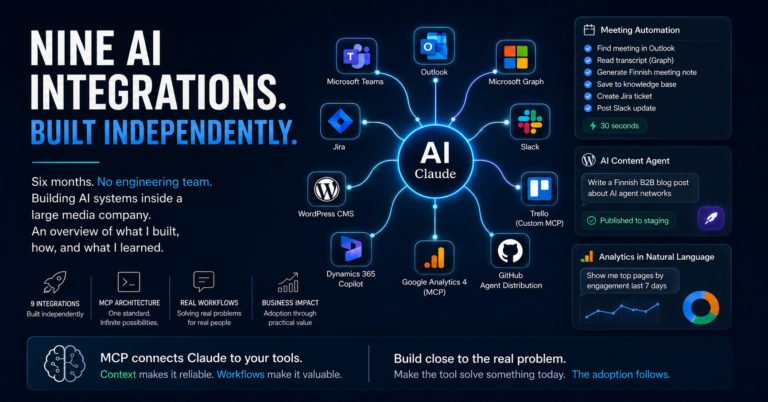
For a broader look at what this kind of AI work looks like across 5 months see 9 AI Integrations, No Engineering Team.